> ## Documentation Index
> Fetch the complete documentation index at: https://docs.perceptron.inc/llms.txt
> Use this file to discover all available pages before exploring further.
# Prompting tips
> Techniques to improve accuracy, reduce verbosity, and get better results.
Little prompt tweaks go a long way. This guide covers techniques to improve output quality from Isaac 0.1.
## Input & output selection
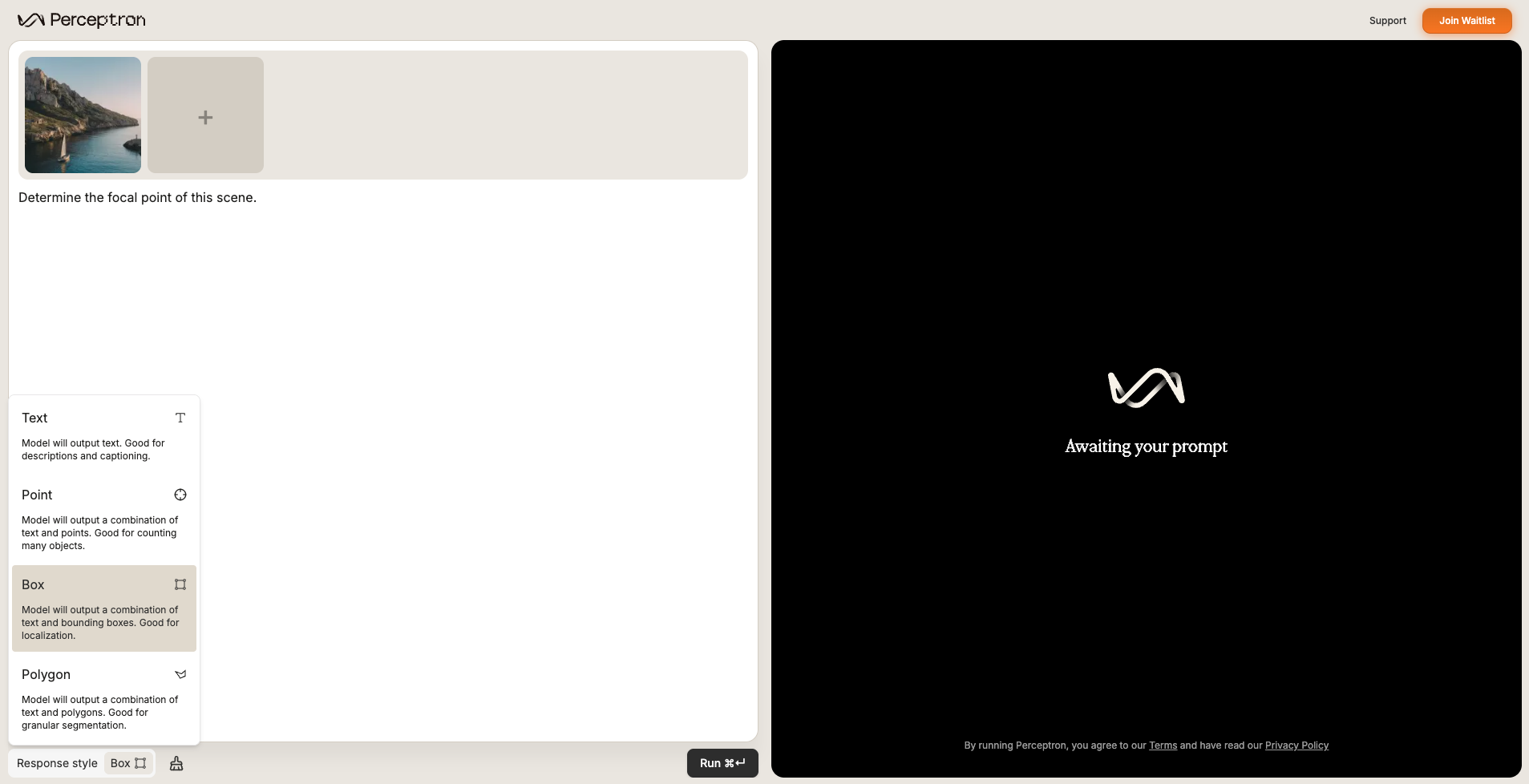
* **Explicitly specify response style** (text, points, boxes, polygons) instead of letting the model decide.
* **Supply multiple images** when in-context examples are useful.
## Prompt engineering
* Tighten language for single- vs. multi-target pointing.
* Trim verbosity.
* Ask for rationale or step-by-step thinking.
***
## Examples by task type
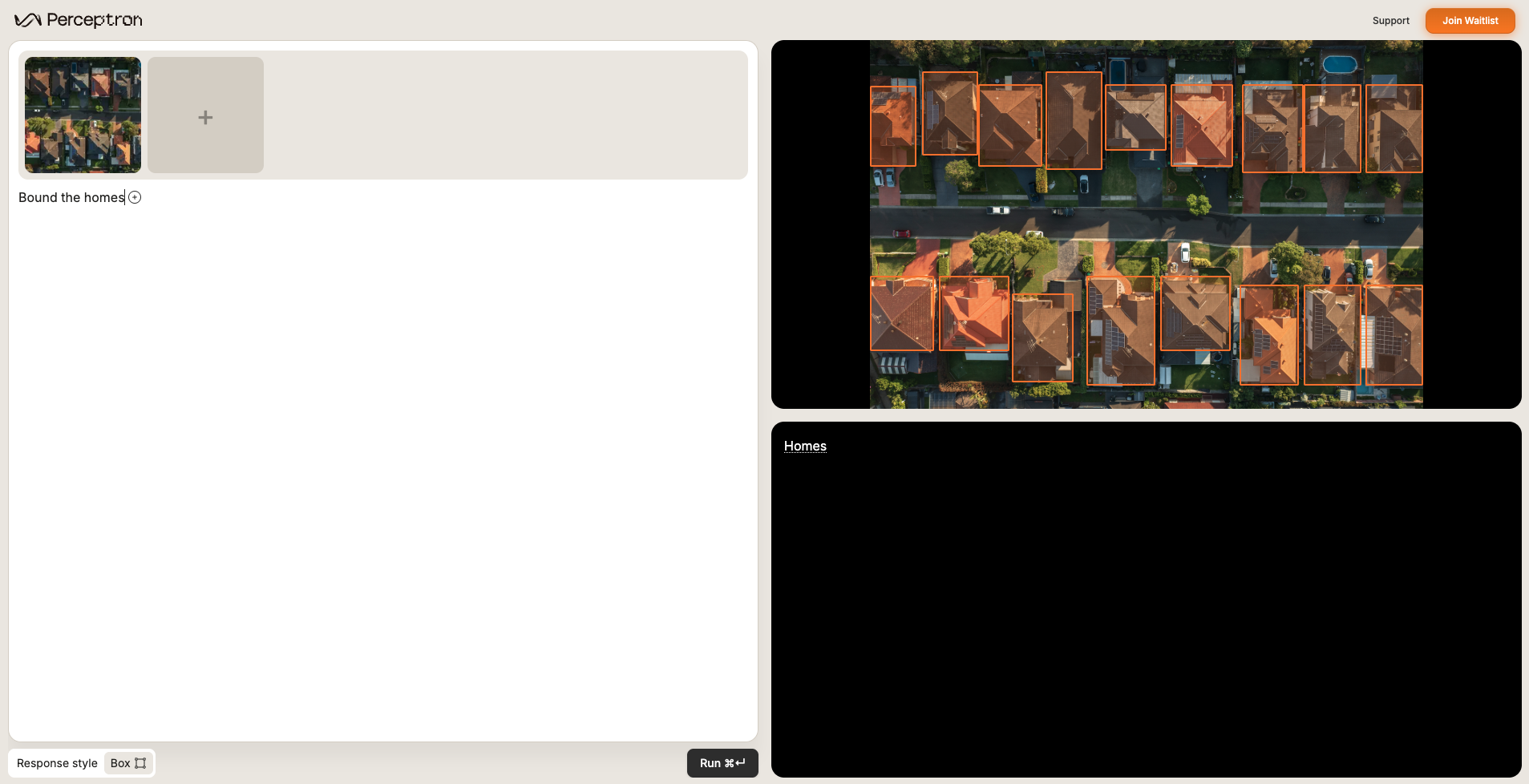
### Object detection (grounding)
Identify objects, people, animals—anything you can describe.
Bound the homes.
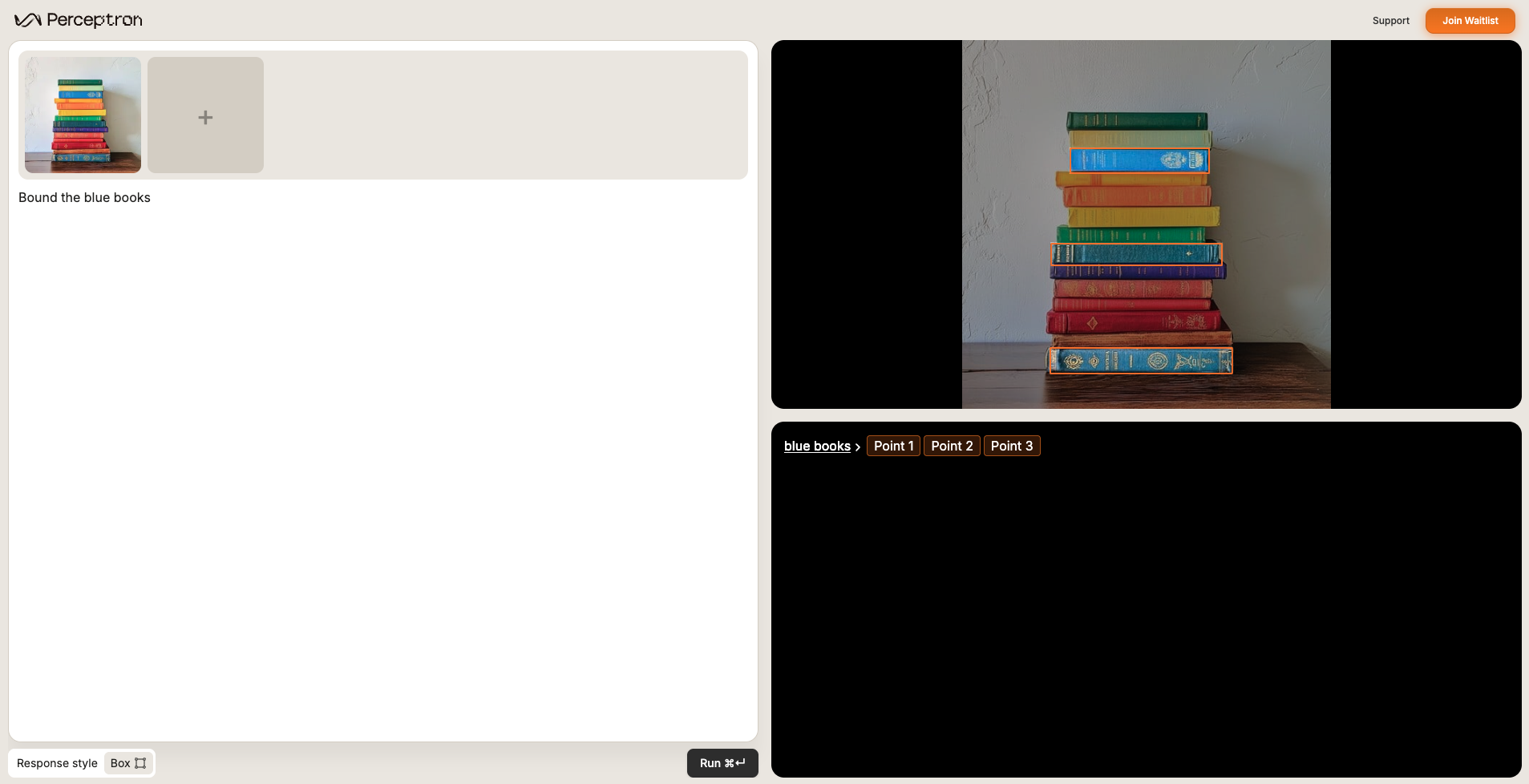
 ### Object attribute detection (grounding)
Target roles, colors, or actions (e.g., "the person in a yellow vest").
Bound the blue books.
### Object attribute detection (grounding)
Target roles, colors, or actions (e.g., "the person in a yellow vest").
Bound the blue books.
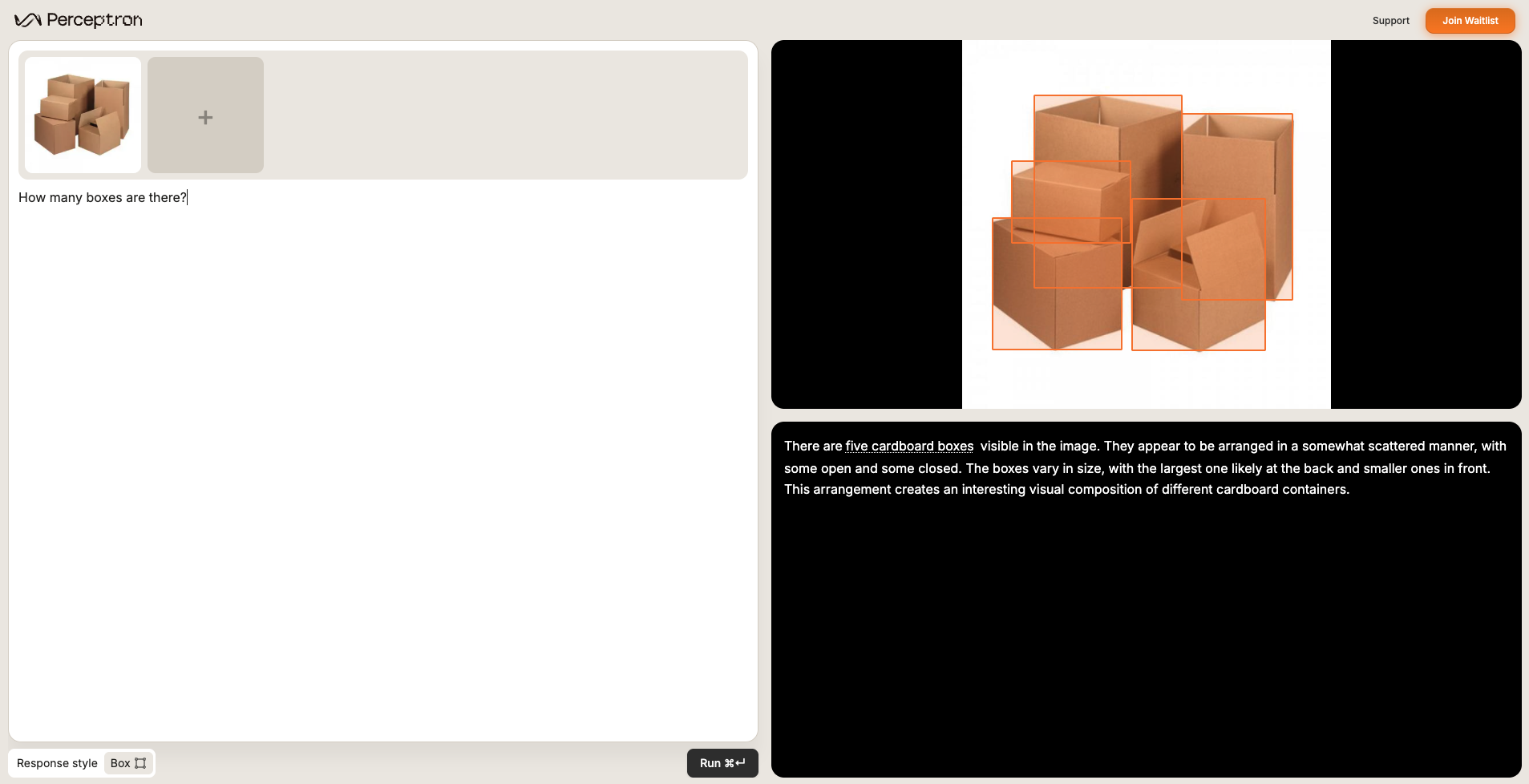
 ### Counting (grounding)
Tally every instance of a specified object or entity.
How many boxes are there?
### Counting (grounding)
Tally every instance of a specified object or entity.
How many boxes are there?
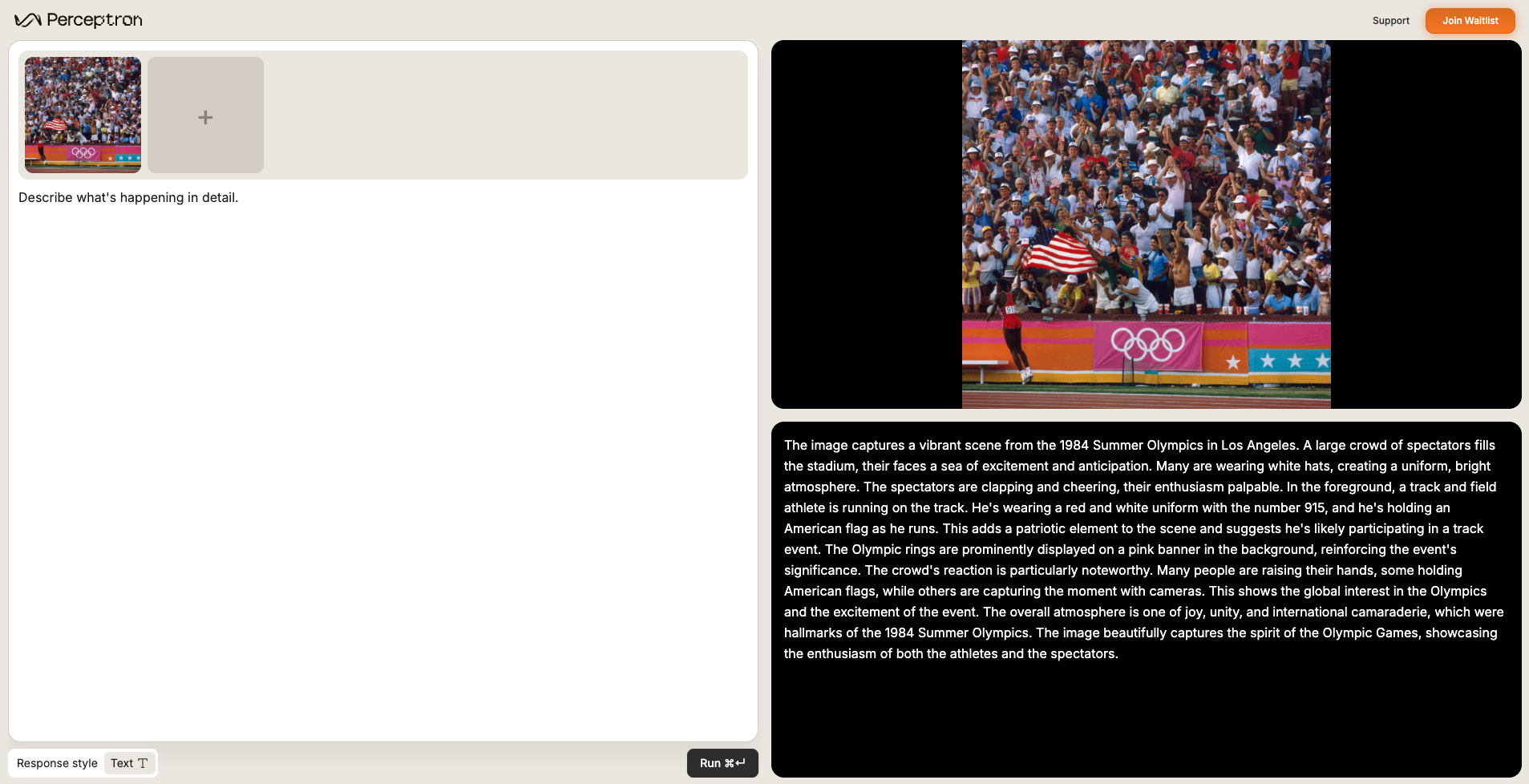
 ### Scene captioning (VQA)
Ask open-ended questions about the scene for narrated summaries.
Describe what's happening in detail.
### Scene captioning (VQA)
Ask open-ended questions about the scene for narrated summaries.
Describe what's happening in detail.
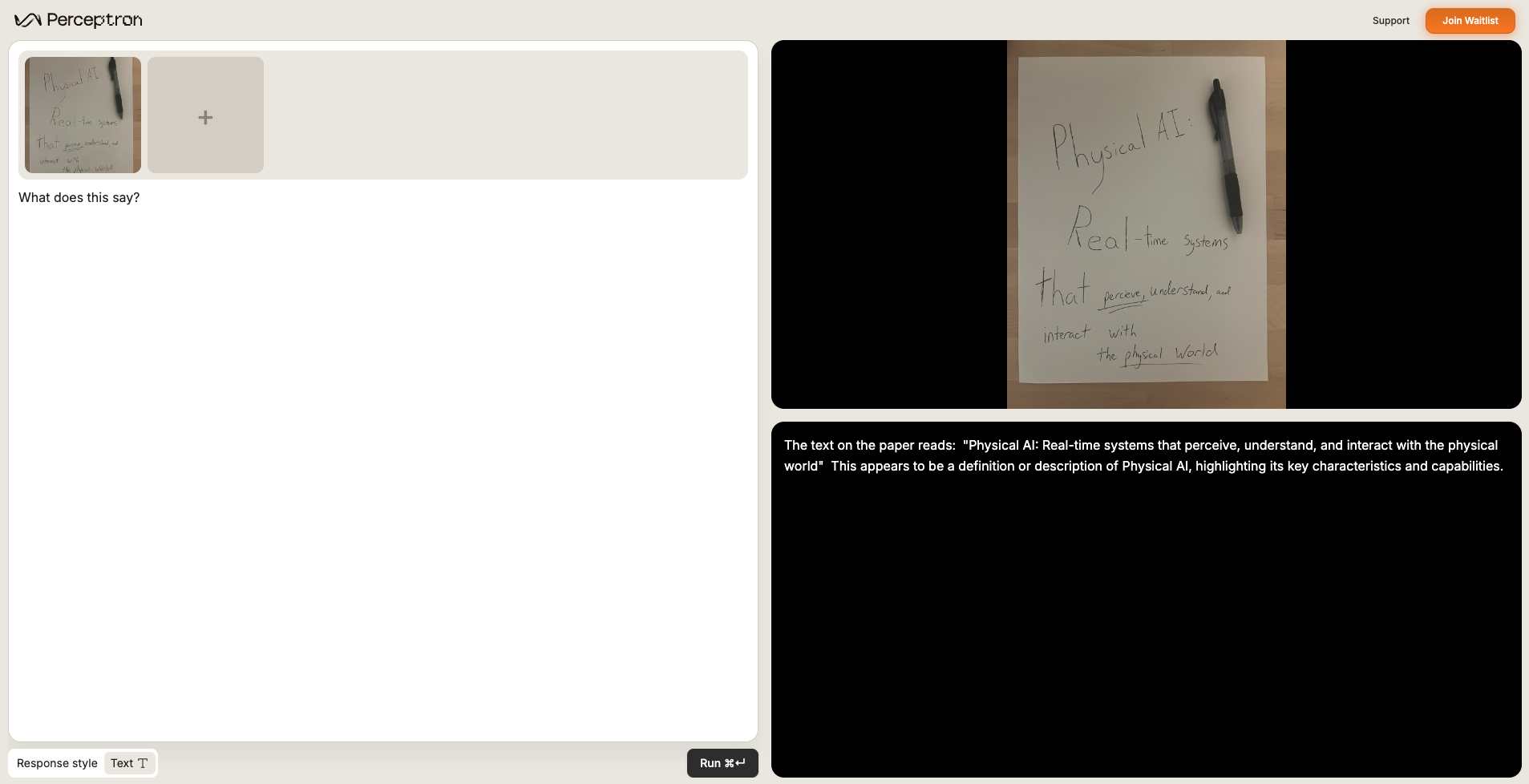
 ### OCR (VQA)
Read signage, labels, and handwriting while preserving spatial context.
What does this say?
### OCR (VQA)
Read signage, labels, and handwriting while preserving spatial context.
What does this say?
 ***
## Prompt engineering snippets
Use these snippets when you want to tighten instructions and better control the model's output.
### Single-target pointing
Natural language usually works (e.g., "Where is the forklift?"). If precision drops, anchor the task:
Your goal is to segment out the following category:
***
## Prompt engineering snippets
Use these snippets when you want to tighten instructions and better control the model's output.
### Single-target pointing
Natural language usually works (e.g., "Where is the forklift?"). If precision drops, anchor the task:
Your goal is to segment out the following category: INSERT\_TARGET.
### Multi-target pointing
Request multiple targets with a comma-separated list:
Your goal is to segment out the following categories: TARGET\_1, TARGET\_2, TARGET\_3.
Different orderings can change results—experiment when classes overlap.
### Concise responses
Trim verbose answers by appending one of these lines:
Respond in 1–2 sentences.
Be concise.
### Counting with grounding
For precise counts, include grounded instructions such as:
How many crates are there? Point to each.
***
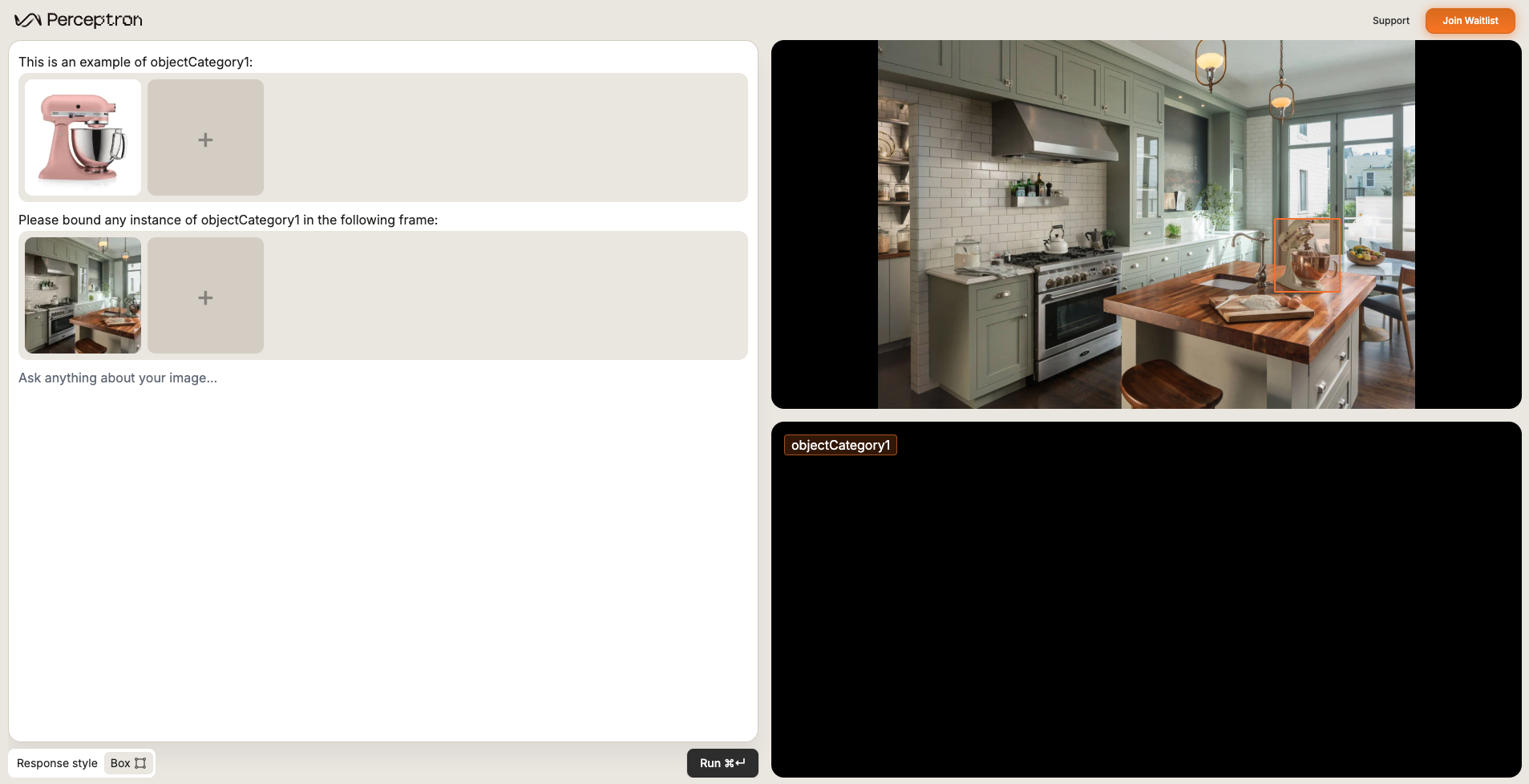
## In-context learning
When words fall short, show Isaac 0.1 what you mean—attach exemplars of defects, rare components, or tricky textures so the model can mimic your labels.
 ***
## Leveraging the demo to iterate
Use the [demo](https://www.perceptron.inc/demo) controls to trial new data combinations and rapidly compare prompt variations.
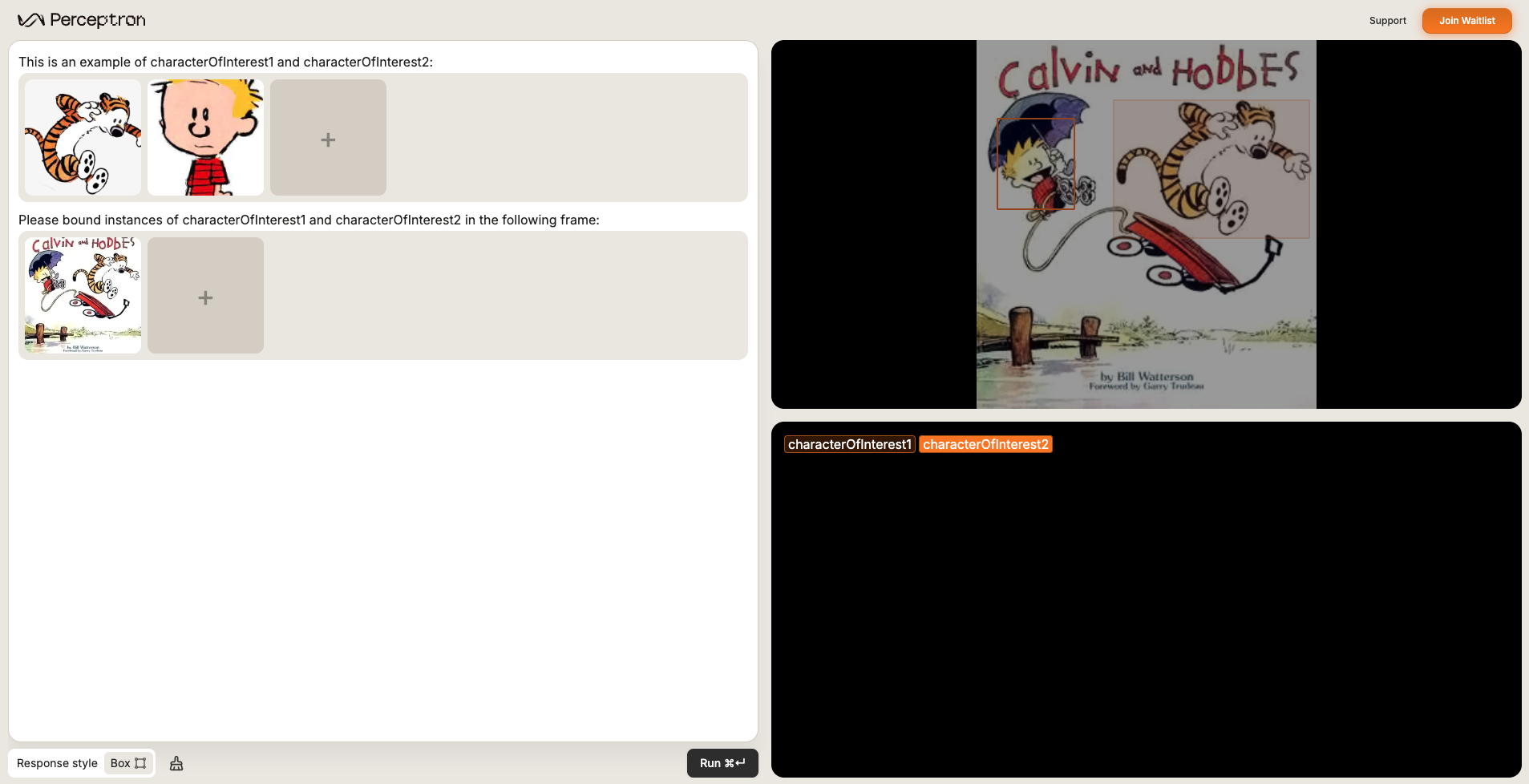
### Adding multiple images as input
Use the "+" button in the image carousel to supply extra reference shots or even multiple carousels. This unlocks in-context learning when text alone can't describe the target.
***
## Leveraging the demo to iterate
Use the [demo](https://www.perceptron.inc/demo) controls to trial new data combinations and rapidly compare prompt variations.
### Adding multiple images as input
Use the "+" button in the image carousel to supply extra reference shots or even multiple carousels. This unlocks in-context learning when text alone can't describe the target.
 ### Choosing response style
Explicitly pick the response style (text-only vs. grounded outputs) so results match your downstream UI.
### Choosing response style
Explicitly pick the response style (text-only vs. grounded outputs) so results match your downstream UI.